Saturday, July 16, 2016

Free July Calendar and Desktop (2nd Try)


I tried to post this on the 12th. I know it was the 12th because the little thingy on the left side (which I can see, but you cannot) tells me so. That's not a whole lot better than the 16th, but at least I know I didn't just imagine making the post. I guess my internet connection was bad or there was some other hang up that caused the upload to fail. So now I'll give it another go! 

This is short and sweet from 7/12:

Oops! I lost track of time. I can't believe we're already halfway through July! I have to get the calendar posted so maybe I can come back in a week or so and show you some pictures of my kitchen that we just finished. You know what to do with this one -- save it as your iWhatever's lockscreen to have quick access to a calendar. 

Here's another version for your desktop. It can also be used on your phone or tablet if the full sized one doesn't fit properly. 


Enjoy the rest of the month! I hope to be back in a few days to share the kitchen pics. See you then!
Thanks for stopping by!

Monday, May 30, 2016

Free June Desktop and Calendar

Hello June! 


I hope everyone had a lovely May. We have had some fantastic weather here in southwest Missouri. The forecasts called for Memorial Day weekend to be a total washout, but it was warm and sunny until Monday afternoon. Beautiful! 

To welcome summer, I have a calendar with denim and daisies. (Kind of....) Feel free to print the one above to hang on your fridge or save it to any of your electronic devices. Here is one to use for your computer desktop:


And here is one that works well for iWhatevers....


For some reason some idevices enlarge pictures when you save them as a lock screen, and this calendar allows for that. 

I think that's it for now. Have a wonderful June! Thanks for stopping by!


Sunday, May 1, 2016

Free May Desktop and iWhatever Calendar

Hi! Remember me? 


I've been pretty sporadic lately, huh? For the past few months, my creative powers have been focused on my kitchen, so I haven't had a lot of mojo left for calendar making. Or anything else! But I am happy to report the kitchen is coming along quite nicely. I wanted the room to function like a modern kitchen, but to look and feel like it could have been my great aunt's dream kitchen when she added it to the turn-of-the-century farmhouse in the 1950's. 

To reinforce the old-timey feel, we added beadboard to the ceiling and painted it white to match the two rooms from the original farmhouse, and had the old pine floors refinished. (We did them ourselves when we bought the place twenty years ago, but they needed some patching and TLC, so we called Terry The Floor Guy this time.) 

My 1950-something O'Keefe & Merritt stove holds the place of honor, in an alcove that is lined with stainless steel, a great backdrop for the big white enamel stove with its chrome griddle and trim. When I get the timer/light combo that goes up on top I'll add an updated photo, but this is what the alcove looks like right now. I love this stove so much that I've used it for years with a defective thermostat. If the oven is on, it's on. Period! Not that big of a deal for roasting meats and veggies, but it makes baking a little challenging. Ok--a little MORE challenging. Baking requires too much precision and recipe-following for me. Anyway, on the rare occasion I do bake, I have to monitor the oven temp and turn the oven on and off to keep it from getting too hot. Is that true love or what?! I recently found a place that refurbishes these old thermostats, so I will have a properly functioning oven soon. :)  No, I will not start baking more. 


I do need to make a small adjustment. I'm going to ask the Dan The Cabinet Guy to paint the small cabinets on each side of the stove the same color as the island. They blend in to the stove too much now.  Dan told me one of his co-workers asked if he was sure he had the right color for the island and another said he hadn't seen that shade of turquoise since the 50's! Perfect! When we pulled the stove away from the wall, I found three or four paint smears on the back that are THE EXACT SAME COLOR AS MY WALLS NOW! Crazy, huh? 

There's one mor thing about the kitchen that I love as much as the stove. Those red doors to the right of the stove hide my pantry. Yes, it is basically a closet sticking out across the corner of the room. You got a problem with that? (The contractor we had twenty years ago--who doesn't get a cute builder guy name--said it would look stupid. That's why. :P ) The curtains on those doors come from a blanket my great grandma made me when I was only three or four years old. Said blanket had hung over the back of an old high chair in the corner for at least fifteen years. When I was packing everything away so we could get started, I realized it had all the colors of my new kitchen! So I scanned a section and uploaded it to a place that prints fabric. I ordered a yard of gauze for the doors and a yard of French twill for...napkins...table runner...placemats...who knows? 

The last cool thing I'll tease you with is our concrete countertops. Robert The Contractor Guy had never done concrete countertops, but was eager to learn how, and we were quite willing to be his guinea pigs. They turned out great, but they don't photograph well. I'll find the right time of day and get some good pics to share once everything is done. 

Ok. It's time for calendars. May's calendar is, of course, inspired by my kitchen! There's a little stainless in one of the frames, Grandma's blanket, white painted wood, a lot of turquoise, and a little red. Go back up there ^ and look. I'll wait....
...
...
...
See what I mean? :)

Here is one for the iWhatevers that like the extra space:


And this one is for your desktop:


That's it for now. I hope to be back with a new calendar and updated kitchen pics in June, but you know how I am.... Heeheehee.... Thanks for stopping by!

Friday, February 12, 2016

Free February Desktop and iWhatever Calendar (and a Digital Valentine)

Happy Valentine's Day! If I lead off with that, I feel like I'm right on time. Otherwise I'm just posting a calendar half a month late. 
If you have a last minute Valentine emergency, here's a digital Valentine you can share:


Here's a pretty background for your desktop:


And one for your iWhatever:


And even one to print if you like: 


Sorry to post and run, but I hear the cries of some wood flooring we are trying to rescue....

Sunday, January 3, 2016

Free January 2016 iWhatever and Desktop Calendars


I know, I know.... It's already January 3rd! Your phones, tablets, and computers are ready to put away their Christmas decorations, but Michele hasn't got their January attire ready yet. My apologies. I've been playing Photoshop. (I've said for years that Photoshop is my version of a video game. As soon as I click on that little icon, I get sucked in and lose all track of time, just like a gamer.) 

My son told me about Photoshop's "Magic Wand" a couple of years ago. He was a bit bewildered that I did not know how to use it. His exact words were, "You don't know about the Magic Wand? Prepare to have your mind blown." That's how cool the Magic Wand is: I remember, word-for-word, being introduced to it. I still think it is mind-blowing, especially when I'm able to do something like I did for this calendar! 

The snowflakes in this calendar were crocheted by my 92 year old grandmother! Aren't they beautiful?! She made a dozen for me many years ago, but they were lost in our garage fire in February, along with most of our Christmas decorations, so SHE MADE MORE FOR ME! I have The Best Grandma. (Hi Grandma!)

So anyway.... I was able to scan in the snowflakes and use (you guessed it!) The Magic Wand to remove all the background around each snowflake and in between all the stitching with just a couple of clicks of the mouse! Now I have digital images of some of Grandma's snowflakes that I can use over and over again. How cool is that?! Each finished snowflake is saved as a png file, so it's just the image--no background. I'm not sure how this will show up, but I'm going to give it a shot....
Now, back to the calendar. Your phones are probably getting impatient. Here is one for your iWhatever:


I hope these ^ have been working for you. Sometimes phones and tablets blow up the picture so big that you can't see the whole calendar, so this way, the empty space around the edge is all that is off the screen. (Hopefully.)

And here is the desktop version, with all that empty space for your icons.


If you'd like to see more of my family's hand-crafting skills, click over to last January's calendar, where I used a photo of the quilt my mother-in-law gave me for Christmas. Beautiful! 

Here's to a wonderful 2016 for all of you! Thanks for stopping by! 

Tuesday, December 1, 2015

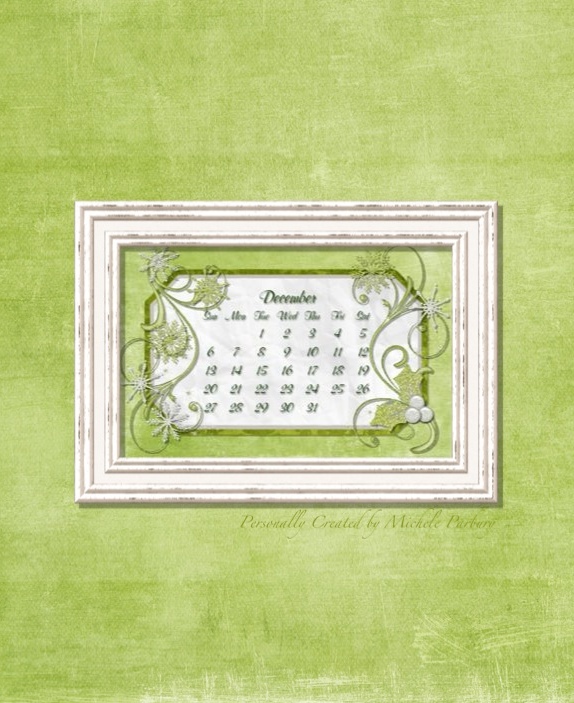
Free December Desktop and iWhatever Calendar

Oh my! It's December!!! Where has the year gone?! I just can't believe how quickly the months pass!
Your phone/tablet/desktop (even your refrigerator!) is probably ready for a change, so here you go....

 A nice sparkly (VERY green) calendar to save to your phone or tablet's lockscreen. These are big pictures (digitally speaking) so they print nicely, too, if you'd like one to hang on a bulletin board or the frig. Right, Grandma? 


This one has some space for all the desktop icons that seem to accumulate....


And this one is a "Just-in-case" calendar. There is a little extra background around it, just in case your phone or tablet likes to blow up pictures on your lockscreen. The extra background helps it fit better. Yeah, I know it sounds weird, but trust me. One of the iWhatever updates made lockscreen pics so big that the calendar didn't fit. This seems to work. Like I said--weird.


So there you go. Now your electronics are ready for all the upcoming festivities!
Have a Wonderful Holiday Season! Thanks for stopping by!

Thursday, November 5, 2015

Free November Desktop and iWhatever Calendar


It's November! We have turned back the clocks and traded flip flops for knee boots. Pride and Prejudice is loaded on my phone AND my Nook. Yes, that's right. The first cold dreary November day will find me curled up sideways in my big chair-and-a-half, reading Jane Austen. Again. 

So of course I stuck with my tradition of using the Jane Austen font for this month's calendar. 

Here is one for your desktop...


...and a version with a little extra space, just in case your phone or tablet enlarges the big calendar (at the top of the post) too much...


If you'd like to make your own, here are the days and dates in the Jane Austen font:


Now that your electronics are feeling pretty, you can load them up with some nice romantic happily-ever-after books so you can read ANYWHERE. Enjoy!

Thanks for stopping by!

Friday, October 2, 2015

Free October Desktop and iWhatever Calendar

Hey! Long time, no see, right? ;) I have a calendar ready for you and it's ONLY October 2nd! lol And this time I even have the extras! Here's the full-sized version:


 Here is one for your desktop:


This one has a lighter background that is less busy, just in case the leafy background is too much with your desktop icons:


And finally, one with a little extra background to help it fit on your phone's screen a little better.


There you go! Enjoy! I know my phone is very happy to get rid of the May calendar. Thanks for stopping by! See you next time!

Saturday, September 12, 2015

Free September Calendar

I know, I know.... One third of September is in the history books. But if I don't post this calendar, I may never make another one. I made this one a couple of weeks ago. I'm not sure why I felt like red, white, &blue, but I did. Once the calendar was finished I never could find the time to post it! I was about to blow it off (What's one more month?) when I realized that it is September 11th. What better day to give away a red, white, & blue calendar?! Sorry, but there are no extras this month: no desktop version, no cell phone version, no-days-and-dates-only-so-you-can-make-your-own version. Hopefully I will be back in October with all of those goodies!
Have a great month. Thanks for stopping by!


My mother-in-law's Google notebook isn't playing nicely with the calendar that I posted from my iPad, so here it is again from my desktop pc.  Let's see if this makes a difference....


Yes, I know it looks exactly the same, but you know how picky our computers can be sometimes.
I'll be back in a couple of weeks with a whole slew of October calendars for you! See you then!

Sunday, May 3, 2015

Free May iWhatever and Desktop Calendar


Do you remember the movie "Overboard" with Goldie Hawn and Kurt Russell? Goldie's character is a very wealthy, pampered woman who falls off her yacht, suffers memory loss, and is convinced by Kurt Russell (a single father) that she is his wife and mother to his three rowdy boys. At one point she is so overwhelmed with her responsibilities that he comes home to find her sprawled in a chair muttering gibberish. That is how I felt by the time Friday arrived this past week. And then I realized I hadn't even thought about a calendar! I did not punt like I did last month. This is a new calendar, all hearty-flowery-blingy for Mothers' Day. I am, however, going to punt right now. I'm sure you all know what to do. ;)

One for your desktop...


and one for your phone/tablet...


Hopefully my job will have settled down a bit by the first of June and I will have the calendar ready for you BEFORE the month begins!
Have a wonderful May! Thanks for stopping by!

Wednesday, April 1, 2015

April iWhatever & Desktop Calendar

Time for your new calendar! 

Ok, ok, so we are already a day into April, but give a gal a break. I have been working at my REAL JOB--you know, when you go to a place at a specified time each day, perform your assigned tasks, then leave at a specified time (if your tasks are complete), and after a couple weeks of this routine, you are paid for your time and effort. I've been working more hours than I am accustomed to working in a week and it's taking a while for me to adjust!

I was looking back through past calendars for ideas when I came to last April's calendar and I liked it so much that I decided to use it again. I hope no one minds a re-run! 

That being said, here you go....


Now, if you need open space for your desktop (or laptop) icons, here is the version for you....


Sometimes iWhatevers don't play well with others, so here is a version just for them. It is sized down to fit on the screen a little better.


And finally, if you would like to design your own calendar, here is a copy of the days and dates for you in a nice font that reminds me a little of the numbers on old timey baseball jerseys. All that is missing is the swirly swish underneath. Very timely, right? You do know that Baseball begins in just a few days, don't you? 
Go Cards! 
Go Royals! 
Yes. I cheer for BOTH!


Thanks for stopping by! See you next time!

Sunday, March 1, 2015

Free March iWhatever and Desktop Calendar


Time for a new calendar!!! Hopefully the new month will bring us some nice warmer weather. Don't the daisies and butterflies feel hopeful? The calendar above will work for your phone screen, or you can even print it and hang it on the refrigerator! 

This one is perfect for a computer desktop. There's lots of empty space around the edges for icons.


And if you don't feel like daisies and butterflies, here is a chalkboard calendar you can use to design your own!


That's it for now--short and sweet. Thanks for stopping by!
Monday, February 2, 2015

February iWhatever Calendar and Desktop

I do believe this is the latest I have ever put up a calendar! Sorry for the delay. I will get right down to business!
Here is a lovely calendar that will fill your screen, or can be printed:


This one has lots of open space around the calendar, so it works well as a desktop background:


This one has the open space at the top and bottom, so  it might work better on some phones:


And here is a version of the days and dates that you can use to make your own pretty calendar if you don't care for any of mine!


Now your phone can stop nagging about having an out-of-date calendar!
Thanks for stopping by!

Thursday, January 1, 2015

January iWhatever Calendar and Desktop

HAPPY NEW YEAR!!!


I hope everyone had a safe and enjoyable time ringing in 2015 last night!  We were quite the party poopers, welcoming the new year from the sofa while watching "Guardians of the Galaxy." I'll settle for living vicariously this year. Our son Cole is in Auckland, New Zealand, the first major city in the world to welcome 2015. The new year began for them at 5 a.m. Missouri time!

This month's calendar features a section of the quilt my mother-in-law just made for us. I took a picture of it to use as the background. Isn't it beautiful?! The colors are a little off because it was cloudy the day I took the pictures. Of course it was cloudy! I think we had three--seriously, THREE!--sunny days the entire month of December! Anyway--it was cloudy and I just couldn't get enough light in that room, so the center of the quilt looks like a deeper blue than it actually is but the colors around the edges are pretty close to the real thing. The quilt is called "Storm at Sea," which makes sense with all the different shades of blue and the criss-crossing wavy lines. Lori is meticulous with the details on all the quilts she makes and it pays off. Each one is a work of art!


OK. So--here is a background for your desktop with lots of space for all those pesky icons that pile up on you:


And here is one for your phone if the big one up top is too big. Did you try the smaller one in December? How did it work for you? Let me know if I need to tweak anything else. I'll get to it eventually. ;)


If you would like to design your own calendar, here are the days and dates I started with...


...but why go to all that trouble when there are such pretty ones here, just waiting for you to click and save?

That's it for now! I think it's time for a nap. I mean, geez, I did stay up past midnight last night!

Thanks for stopping by!

Monday, December 1, 2014

December iWhatever Calendar and Desktop

Here we are, folks! Down to the last month of 2014! 
Is your phone ready for a new look?


Does the frame remind you of something from an old Christmas card? It came from Crafty Secrets' Vintage Christmas Digital Images and Ephemera. Wow! That's quite a mouthful! I've had that set for a couple of years and love it. I'm using one of the images of Santa for my Christmas cards this year. This calendar is going in the December Linky Party at the blog, and if I can figure out how to post a second item, I will include my card, too, in a couple of weeks. (I need to actually put some together first!) 
I had a great conversation with Sandy (the owner of Crafty Secrets) recently. I was having computer issues that carried over into my email and she called me to see what on Earth was going on! We talked for almost an hour! 
OK--back to December! Here is a calendar sized for your desktop, with lots of room for icons all around the edges....


...and here is a plain calendar if  you would like to design your own...


 Sometimes I still use the Coolibah app on my iPad to design these, but I am beginning to use Photoshop more and more all the time. Just pull in any background papers or embellishments you want to use and "build" it like you would if you were using paper. (Yes, I know that is an over-simplified explanation. One day I will get up my nerve to do a tutorial on using digitals. It's on my list. Along with forty-eleven other things!)

Here is something I might be able to cross off of my list. I've been playing around trying to come up with a solution for those pesky iPhones that blow up your pictures so much that they can't be used as a lockscreen. I thought maybe resizing the photo would work, but it didn't. Finally I decided to just put a big empty background behind the calendar, kind of like what I do for the desktop. I made one horizontal and one vertical. The vertical one fits perfectly on my iPhone lockscreen:


...but I thought the horizontal one might be better for smaller tablets, like iPad minis:


 I know it looks funny when you look at the whole thing--some of the embellishments are chopped off at the edges--but that won't show if the calendar is the right size. Please let me know if this is something you will use! It only takes a minute to add that background.

Now I must say goodbye and get to work on Christmas cards. In the interest of full disclosure, I send holiday cards. There are a whole lot of people who get all up in arms about that, like Christmas has a monopoly on glad tidings. Christmas is just one day! I want to wish everyone an ENTIRE SEASON of peace and happiness! Anyone who wants to hold that against me, be my guest. ;)

Thanks for stopping by! See you next time!